Happy Chinese New Year for those of you out there which is still celebrating this CNY like me....
.... well , i'm still celebrating the CNY 2011 now .... yes im still on holiday mood .... while for those which is already back in action .... all the best and good the luck in your new new resolutions...
i guess some of you might even choose for the day for you to start work based on feng shui and horoscope.... well im not :)
.... for those which would like to catch up on what the heck am i talking about new hut.... hmmmm...... all right ... im living at my own home now @ sg long after 7 years living in condo... thou i'm kinda of miss of the place a LOT...
no doubt, it's time to move on ....
VISTA KOMANWEL ciauuuu......
oh yeah, jst recalled , to my surprise i met my michealian buddy * Lim Kok Chong* which is staying @ the same block with me on the last day of my tenure @ the building ..... gosh .... how come we didnt bump into earlier :) haha....
Just some highlights on my New Hut .....
..... it has a roof ....
..... it was renovated....
..... it was filled with more furniture .....
....... it has more rooms for occupancy....
.... it's more like a home to me .....
.... it's more steps for me to jalan jalan compared to last time whereby i can do everything on the same floor.....
.... it has a park next to my hut ........
.... there is a hill next to my hut too.... * i hope i really got for a hike one day since lots of folks been working out during the wee hours....
..... it has it uniqueness as im saving a lot on paints as it's built on red bricks...... * to be precise yearly costs *
.......... i finally have my own sweet time to wash my car at my very own car porch compared to queuing up waiting for the hose at the club house ... Huh !
.... which then relates to $$$$$$$$ from bank account shrunk ! :)
compilations of shots will be coming up..... till then.... GONG HEI FATT DAI CHOI !
Monday, February 07, 2011


Tuesday, November 23, 2010
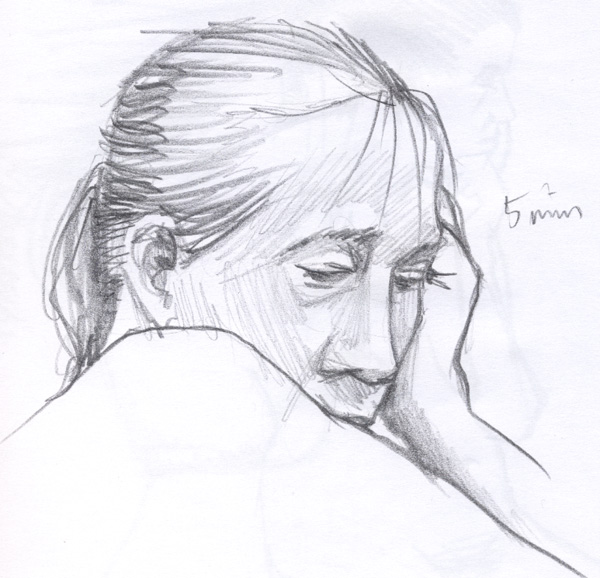
a dream that i could hardly understand
i had a dream that i never could have imagine !

.......i have been drag from the bed
..... being sat on top by an "object"
..... struggled to get up and yet could hardly move......
....looking clearly at the face of the unknown makes me confused...
and i could hardly describe......
....... facial expression was monotone ..... and never turn back......
... did try to google up the unknown... and return was no responce
.....this....

....wonder what's wrong with me....
and my response was I DON'T EVEN KNOW.....
Thursday, November 11, 2010
Blogspot is simply happening !
yicks , i know it's been ages since the last update and dunno why i still could not sleep at this point of time at 0330... therefore i just try to type in a few lines to make me doze off on my keyboard. :)
could it be the sleeping time have already past or could it be something else which i had in mind which could not clear out ....
anyhow, back to the post... i was surprised that blogspot finally have their very splendid template preinstalled for users like me that does not know how css , web design works... and with the amount of tools that they have come out, it makes my blog page looks slightly better compared to the previous lame 2 tone page :)
anyhow.... snorinnngg ....zZZzzzzz
could it be the sleeping time have already past or could it be something else which i had in mind which could not clear out ....
anyhow, back to the post... i was surprised that blogspot finally have their very splendid template preinstalled for users like me that does not know how css , web design works... and with the amount of tools that they have come out, it makes my blog page looks slightly better compared to the previous lame 2 tone page :)
anyhow.... snorinnngg ....zZZzzzzz
Monday, August 30, 2010


Saturday, April 10, 2010
Tips and tricks to enable your browsing speed on DiGi mobile - EDGE or 3G
it's nice to upload once again similar article which i came across recently as i keep losing all this information since i accidentally formatted the phone back to factory setting :(
therefore i am sure this would be a good place for me to keep it as a reference and i'm glad to share :)
therefore i am sure this would be a good place for me to keep it as a reference and i'm glad to share :)
Digi Need To Enable APN (digistrm) For YouTube Streaming
(http://www.digi.com.my/blackberry/faq.do)
This section is particular to DiGi’s BIS subscriber, for some reason (most probably for bandwidth control), DiGi need us to configure the APN to digistrm before us being to view YouTube video streaming. To do this, follow the steps below :
Menu -> Options -> Advanced Options -> TCP/IP
(TICKED) APN Settings Enabled
APN: digistrm
(TICKED) APN Authentication Enabled
Username for APN:
Password for APN
*Both Username and Password for APN Authentication are left blank*
Tips#2 Speedier Browsing
Browser settings
Menu -> Browser -> Menu -> Options :
[1] Browser Configuration
Browser: Internet Browser
(TICKED) Support JavaScript
(TICKED) Allow JavaScript popups
(TICKED) Terminate slow running scripts
(TICKED) Show Images
(TICKED) Use Background Images
(TICKED) Support Embedded Media
Browser Identification: BlackBerry
Start Page: Home Page
Default Search Provider: Google
Home Page Address: http://mobile.blackberry.com/
[2] General Properties
Default Browser: Internet Browser
(Type of Fonts here doesn’t really affect the settings)
(NOT TICKED) Full Screen View
(TICKED) Enable JavaScript Location support
Prompt Before:
(NOT TICKED) Closing Browser on Escape
(Ticked) Closing Modified Pages
(NOT TICKED) Switching to WAP for streaming media
(NOT TICKED) Running WML Scripts
**NOTE**
If the YouTube streaming still does not work after the reconfiguration above, please try restarting it (ATL + RIGHT SHIFT + DEL).
Tips#3 Formatting your Blackberry
Erasing the data with the Wipe Handheld option
Go to Options.
Then go to Security.
Then go to General Security.
Click the trackball and choose Wipe Handheld.
Then choose Continue.
Then type blackberry and all of the data should be erased.
Erasing the data and applications
First connect to Desktop Manager on your comptuer.
Double click the Application Loader icon.
Click Next to go through the Wizard.
When asked for your password type in an incorrect password and click Next. You will need to do this ten times.
Then choose Close. The device will become unresponsive in a 507 error without any software.
To re-install software open the Application Loader and choose the software or applications you would like to install.
Clearing device databases
Connect to Desktop Manager on your computer.
Double click on the Backup and Restore icon, then choose Advanced.
Select all of the databases while holding down the Shift key, and then choose Clear.
Then choose OK and all databases will be erased.
Then choose Close.
Displays your signal strength in decibels, instead of bars.
Hold "Alt" and press "N", "M", "L", "L" (repeat to reverse the effect).
Address Book file verificatio n.
Checks the data in your Address Book for inconsisten cies.
In the Address Book, hold "Alt" and press "V", "A", "L", "D".
Address Book data structure rebuild.
Forces a data structure re-build in the Address Book...
In the Address Book, hold "Alt" and press "R", "B", "L", "D".
View source code.
Displays the source code of a Web page.
In the Browser, hold "Alt" and press "R", "B", "V", "S".
Help Me! menu.
Provides crucial technical information about your device, for when seeking technical support or help in forums...
Hold "Alt" and (left) "shift", then press "H".
IMEI display.
Displays your device's internation al mobile equipment identity (IMEI - your serial number) on-screen.. . Also works from all other GSM handsets.
Type "*", "#", "0", "6", "#" on the Home screen.
"Soft" reset.
Performs a "soft" reset of your device; the equivalent of doing a "battery pull" (ie. Removing the battery for a few seconds).
Press-and-ho ld "Alt", then press-and-h old (left) "shift", then press-and-h old "Del".
Event Log.
Displays event logs of all the system-leve l events that occur on your device...
Hold "Alt" and press "L", "G", "L", "G".
In some cases, you will need to be on the Home screen when you enter these codes...
Key shortcuts:
A or C = phonebook
S = search
F = phone profiles
W or B = browser
H = help
K = locks the keys
L = calendar
V = messages
M = messages folder
R = alarm
T = tasks
U = calculator
I = application s
O = options
P = phone
Subscribe to:
Posts (Atom)